- Folder or Archive Specified on the Command Line
- If a folder is specified as a command line argument, it is treated as the project folder and executed.
If an XP3 archive is specified as a command line argument, it is assumed to contain the project folder and is executed.
While you can specify files or folders from the command prompt, the easiest way is to drop the project folder or file onto the KiriKiri executable icon in Explorer or an "Open" dialog.
It is also convenient to place a shortcut on the desktop with a specific project folder specified as an argument to the KiriKiri executable.
- content-data folder in the same location as the executable
- If a folder named "content-data" exists in the same location as the executable, it is treated as the project folder and executed.
- "data.xp3" file in the same location as the executable
- If an archive file named data.xp3 exists in the same location as the executable, it is treated as an XP3 archive containing the project folder and is executed.
- data folder in the same location as the executable
- If a folder named "data" exists in the same location as the executable, it is treated as the project folder and executed.
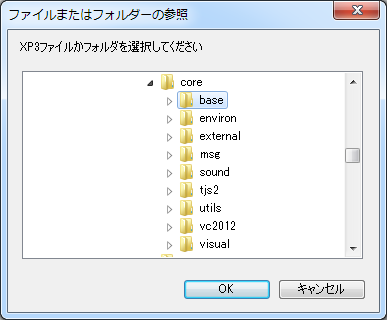
If the folder cannot be determined by any of these methods, the folder/archive selection screen will appear.
However, if "Execute only from XP3 archive" is specified in the release options, it will only operate with the data.xp3 file, data.exe file, or when an XP3 archive is bound to the executable itself (see
KiriKiri Configuration).